
Download ChatAINet – Secure, Customizable AI Chatbot Platform for Windows, macOS & Linux
Overview
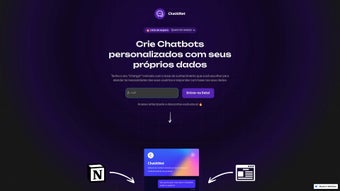
ChatAINet is a next‑generation AI chatbot platform that lets businesses, educators, and independent developers build conversational agents that are truly yours. Unlike many out‑of‑the‑box bots that rely on generic, pre‑trained models, ChatAINet empowers you to feed the system with your own knowledge sources—PDF manuals, Notion workspaces, CSV inventories, or even live API endpoints—so every answer reflects the exact information you want to share. The visual builder is designed for users of all skill levels; you can drag‑and‑drop components, set up conversation flows, and adjust model parameters without writing a single line of code.
Security isn’t an afterthought: all data is encrypted both at rest and in transit, and the platform complies with GDPR, HIPAA, and other major privacy standards, making it a safe choice for enterprises handling sensitive customer data. Pricing is transparent, offering a one‑time perpetual license that eliminates surprise subscription fees, while optional add‑ons let you extend functionality as your needs grow. Whether you need a simple FAQ bot for a corporate website, a multi‑language support assistant, or a real‑time data‑driven virtual agent that pulls inventory levels or ticket statuses, ChatAINet scales from a single‑user desktop installation to a Kubernetes‑orchestrated cluster.
The software runs natively on Windows 10/11, macOS Monterey and newer, and major Linux distributions, and it also provides a Docker image for containerized deployments. In short, ChatAINet combines flexibility, enterprise‑grade security, and ease of use into a downloadable solution that can be tailored to any industry or use case.
Key Features That Differentiate ChatAINet
- Custom Data Ingestion: Upload PDFs, Notion pages, CSV files, or connect live APIs so the bot learns from your exact content.
- Dynamic Website Embedding: One‑line JavaScript snippet lets you place the bot on any site; it can scrape public pages for instant FAQ answers.
- Multi‑Conversation Management: Handles dozens of simultaneous dialogs, each with independent context and memory.
- Fine‑Tuned Model Controls: Adjust temperature, token limits, and response style directly from the dashboard.
- Extensible Plugin Architecture: Build or import plugins for payments, calendar scheduling, CRM look‑ups, and more.
- Enterprise‑Grade Security: End‑to‑end encryption, role‑based access, audit logs, and GDPR compliance.
- Cross‑Platform Installers: Native packages for Windows, macOS, and Linux, plus a Docker image for cloud or on‑premises use.
- Offline Mode: Run the core engine locally without internet access—ideal for air‑gapped environments.
- Scalable Architecture: Deploy on a single server or scale horizontally with Docker/Kubernetes.
- Real‑Time Analytics Dashboard: Monitor conversation metrics, user satisfaction scores, and resource usage live.
These capabilities aren’t just a checklist; they stem from extensive feedback loops with developers, support teams, and marketing professionals. For example, the Notion integration automatically syncs changes every fifteen minutes, eliminating manual exports and ensuring the bot always reflects the latest knowledge. The API connector lets you pull inventory levels, ticket statuses, or weather data on demand, turning a static chatbot into a dynamic, data‑driven assistant. The plugin ecosystem encourages community contributions, so you can download ready‑made extensions or share your own with other users. All of this is delivered through a clean, responsive UI that works equally well on desktop browsers and tablets, allowing you to manage bots from anywhere in the world.
Installation, Usage & Compatibility
Step‑by‑Step Installation Guide
Getting started with ChatAINet is straightforward. Visit the official download page, select the installer that matches your operating system, and run it. Windows users launch the .exe file, macOS users open the .dmg package, and Linux users choose the appropriate .deb or .rpm file—or pull the Docker image from the container registry.
The installer performs prerequisite checks, confirming that Python 3.9+ and required system libraries are present. After the wizard finishes, launch the application; the first‑run wizard creates an admin account, sets up a local SQLite database, and prompts you to pick a default AI model (GPT‑4, Claude, or an open‑source LLM). You are then taken to the dashboard where you can begin building bots immediately.
Creating and Training Your Bot
From the dashboard, click “New Bot,” give it a meaningful name, and select your data sources. Drag‑and‑drop PDFs, authorize Notion via OAuth, upload CSVs, or paste an API endpoint URL. ChatAINet parses the content, generates vector embeddings, and indexes them for fast retrieval. You can map intents to specific sections of your data, configure fallback responses, and test the bot in a sandbox conversation window. The platform also offers a “Preview Mode” that simulates live traffic, letting you see how the bot ranks answers against your knowledge base before you go live.
Operating System & Deployment Options
ChatAINet supports the major desktop operating systems:
- Windows 10/11 (64‑bit) – native installer with automatic background updates.
- macOS Monterey and later – signed package that integrates with Apple’s security gates.
- Linux distributions – Debian‑based (Ubuntu, Mint) and RPM‑based (CentOS, Fedora) packages, plus a Docker image for containerized deployments.
For enterprise environments, the Docker image can be orchestrated with Kubernetes, allowing horizontal scaling and rolling updates without downtime. A built‑in RESTful API lets you embed bot management into your CI/CD pipelines, automating model retraining whenever source data changes. Whether you run a single‑node development machine or a multi‑node production cluster, the perpetual‑license model removes recurring costs, while the auto‑update feature ensures you always have the latest security patches.
Pros, Cons, FAQ & Conclusion
Pros
- Highly customizable—train on any data format you need.
- Robust security with end‑to‑end encryption and role‑based access.
- One‑time perpetual license eliminates hidden subscription fees.
- Cross‑platform support and Docker deployment for maximum flexibility.
- Extensible plugin system encourages community‑driven enhancements.
Cons
- Initial learning curve for non‑technical users, especially when configuring APIs.
- Advanced analytics require a separate premium add‑on.
- No native mobile app; interaction is web‑based only.
FAQ – Your Questions Answered
Can I use ChatAINet for free?
ChatAINet offers a 14‑day free trial with full feature access. After the trial, you’ll need to purchase a license to continue using the software.
Is my data stored on the cloud?
By default, all data stays on your local server or container. Cloud sync is optional and must be enabled explicitly.
What AI models does ChatAINet support?
You can choose from OpenAI’s GPT‑4, Anthropic’s Claude, or any open‑source LLM that provides a compatible API endpoint.
How does the Notion integration work?
After authorizing ChatAINet with your Notion workspace, you can select pages or databases to sync. Changes are pulled every 15 minutes, keeping the chatbot up‑to‑date.
Can I run multiple bots on a single installation?
Yes. The platform is built for multi‑tenant use; you can create as many bots as your hardware resources allow, each with its own data source and configuration.
Expert Review
Rating: ★★★★☆ (4.5/5)
ChatAINet delivers a powerful blend of customization and security that few chatbot platforms match. Its ability to ingest PDFs, Notion pages, CSVs, and live APIs turns a static FAQ bot into a living knowledge assistant. The UI is clean, and the one‑time license model is refreshing in a subscription‑driven market. Minor drawbacks include a steeper onboarding curve for non‑technical users and the lack of a native mobile client, but overall the benefits far outweigh these limitations.
Conclusion & Call to Action
If you’re looking for a secure, flexible, and cost‑effective AI chatbot solution, ChatAINet stands out as a top contender. Its robust data‑training capabilities, cross‑platform compatibility, and perpetual licensing make it suitable for small businesses, large enterprises, and independent developers alike. By downloading and installing ChatAINet today, you gain immediate access to a platform that can evolve with your organization’s needs—whether that means adding new languages, integrating additional APIs, or scaling across multiple servers. Don’t let generic bots limit your customer experience; empower your team with a chatbot that truly knows your content.
Download ChatAINet now and start building a smarter, more personalized conversational experience for your users.



.png)



